Key Takeaways
- The official Philippines eTravel portal (etravel.gov.ph) requires all foreign tourist arrivals to input a valid Return or Onward Flight Date, Airline, and Flight Number within 72 hours before departure.
- Under Executive Order 408, visa-free foreign tourists must enter an outbound flight date falling within 30 calendar days of arrival—even if they plan to apply for a visa extension after landing in Manila or Cebu.
- Airlines (including Cebu Pacific, Philippine Airlines, AirAsia, Scoot, Emirates, and United) inspect both your eTravel QR code and your actual onward flight reservation PDF at check-in.
- Order a $7 one-way GDS onward flight reservation first (delivered within 14 hours via Standard delivery or 2–20 minutes via Instant delivery, valid 48 hours to 7 days), then copy the exact flight details into eTravel.
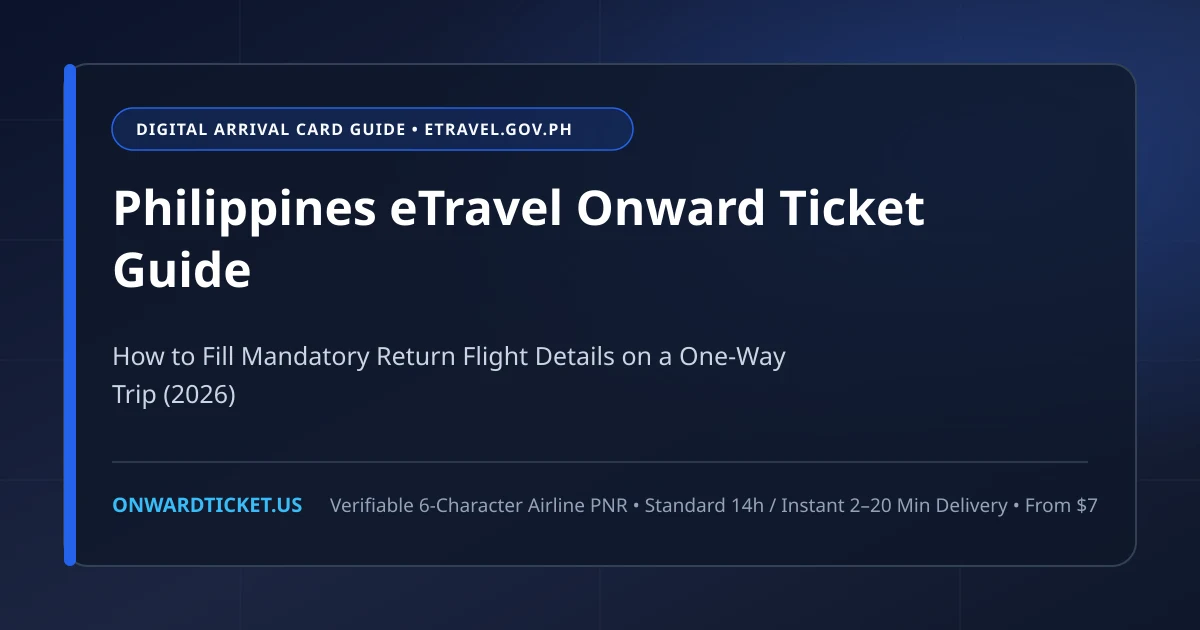
Every traveler flying into Manila (MNL), Cebu (CEB), Clark (CRK), Davao (DVO), or Kalibo (KLO) must complete the Philippine Electronic Travel Declaration System—known universally as Philippines eTravel (etravel.gov.ph)—within 72 hours before departure.
For travelers on a round-trip vacation package, the form takes five minutes. For digital nomads, backpackers, retirees, and long-stay visitors flying into the Philippines on a one-way ticket, however, Step 3 of the eTravel form presents an immediate roadblock: the Return / Onward Flight fields are strictly mandatory.
If you select Foreign Tourists / Holiday as your purpose of travel, the eTravel web application will not let you submit the form or generate your required QR code unless you enter an outbound airline, flight number, and departure date leaving the Philippines.
Even more importantly, your airline check-in agent will ask to see the actual flight ticket PDF that matches the details you typed into eTravel. In this 2026 step-by-step guide, we explain how the Philippines eTravel onward ticket requirement works and how to fill out every field accurately on a one-way trip.
Why Philippines eTravel Makes Return Flight Details Mandatory
The eTravel platform is jointly operated by the Department of Information and Communications Technology (DICT) and the Philippines Bureau of Immigration (BI). Under Philippine immigration law (Executive Order No. 408 for visa-free nationals and Foreign Service Circular rules for 9A visa holders), every foreign visitor entering for tourism must hold a valid return ticket to their port of origin or an onward ticket to their next country of destination.
Before eTravel existed, travelers sometimes reached Manila before realizing they needed an outbound ticket. By embedding mandatory return-flight fields directly into the pre-departure eTravel declaration—and requiring airlines to verify both the eTravel QR code and the physical/PDF onward reservation at the origin airport—the Bureau of Immigration ensures compliance before you ever board the aircraft.
For a complete overview of Philippine airline and border rules, check out our Philippines Onward Ticket Country Guide and our explainer on proof of onward travel.
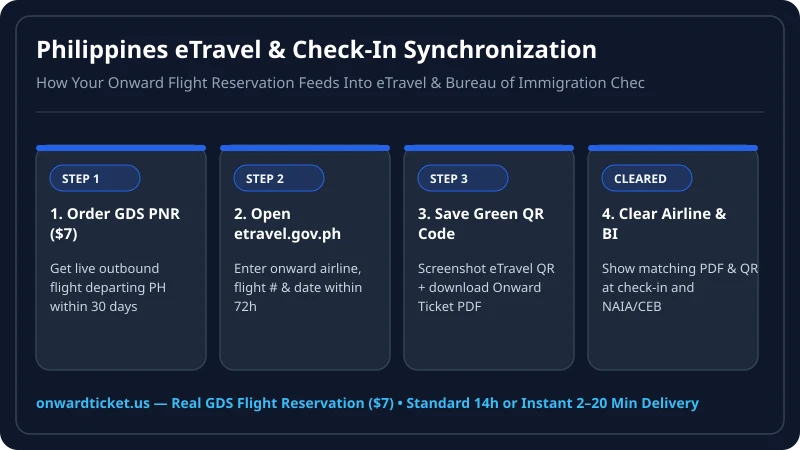
Step-by-Step: How to Fill Out Philippines eTravel on a One-Way Ticket
Step 1: Get Your Verifiable Onward Flight Reservation First (Within 48–72 Hours of Departure)
Never invent a random flight number on the eTravel form. When you arrive at the airport check-in counter—and again at the Bureau of Immigration primary inspection booth at NAIA Terminal 1, Terminal 3, or Mactan-Cebu—the officer pulls up your eTravel record on their screen and compares it with your onward flight PDF. If the flight numbers or dates contradict each other, you risk secondary inspection or denied boarding.
Instead, order your verifiable GDS flight reservation from Onward Ticket before opening eTravel:
- Pick an Exit Airport in the Philippines: Manila (MNL), Cebu (CEB), or Clark (CRK).
- Pick any International Destination: Popular nearby exit hubs include Kuala Lumpur (KUL), Bangkok (BKK), Singapore (SIN), Taipei (TPE), Hong Kong (HKG), or Kota Kinabalu (BKI).
- Choose a Date Within 30 Days of Arrival: Under Executive Order 408, visa-exempt passports (US, UK, Canada, EU, Australia, Japan, South Korea, Singapore, etc.) receive a 30-day initial stay. Pick a departure date between Day 10 and Day 29 after your arrival date. (Even if you plan to extend your tourist visa for 29 or 59 days at the Bureau of Immigration after landing, your initial eTravel and check-in onward ticket MUST be within 30 days!)
- Select Your Delivery Speed Tier: Choose our Standard Delivery tier (within 14 hours) when registering a day or two before your flight, or our Instant Delivery tier (2–20 minutes) if your flight departs today. Pricing is a flat $7 for One-Way, $11 for Return, or from $18 ($9 per leg) for Multi-City, and the PNR remains active for 48 hours to 7 days.
Step 2: Enter Your Arrival & Return Flight Details on etravel.gov.ph
Once your Onward Ticket PDF arrives in your inbox, visit the official government portal at etravel.gov.ph (reminder: official eTravel registration is always 100% free; avoid third-party clone sites charging $50+ for the QR code). Navigate to New Travel Declaration → Foreign Passport Holder → Arrival (Entering the Philippines) → Air and fill out the fields as follows:
| Philippines eTravel Field | What to Enter on a One-Way Trip | Where to Find It on Your Onward Ticket PDF |
|---|---|---|
| Purpose of Travel | Holiday / Pleasure / Vacation | Standard tourist visa-free or 9A visa entry |
| Traveller Type | Aircraft Passenger | Commercial air arrival |
| Origin Country & Arrival Flight | Your inbound airline & flight number into MNL/CEB/CRK | From your inbound one-way ticket |
| Date of Return / Onward Travel | Exact departure date (within 30 days of arrival) | Listed under DEPARTURE DATE on your Onward Ticket PDF |
| Return / Onward Airline Name | Operating carrier (e.g., Singapore Airlines, Philippine Airlines, Malaysia Airlines) | Listed at the top of your Onward Ticket flight segment |
| Return / Onward Flight Number | 2-letter IATA code + digits (e.g., SQ 915, PR 501, MH 805) |
Listed under FLIGHT NUMBER alongside your 6-character PNR |
| Destination in the Philippines | Hotel / Resort name and Province / City | From your hotel booking or Proof of Accommodation |
Step 3: Save Both Your eTravel QR Code and Your Onward Ticket PDF Offline
After submitting the form, eTravel generates a Green QR Code (meaning your declaration is complete and ready for inspection). Take a screenshot of the QR code AND save your Onward Ticket PDF to your phone’s local files so you can display both in seconds at the check-in counter and at the Manila/Cebu immigration booth.
Can You Edit Your Philippines eTravel Return Flight Details After Submitting?
Yes! One of the most helpful features of the modernized etravel.gov.ph portal is that you can update an existing travel registration if you initially filled it out with placeholder information or changed your onward flight reservation before departure:
- Log back into your eTravel account using your registered email address and password.
- Select your upcoming trip card and click Edit Travel Registration.
- Update the Return / Onward Airline, Flight Number, and Date of Return so they match the live 6-character GDS PNR on your Onward Ticket PDF.
- Re-save your updated Green QR Code screenshot and complete the integrated Philippine Bureau of Customs e-Currency / Baggage declaration inside the same workflow.
What Happens When You Arrive at Manila NAIA or Mactan-Cebu Immigration
Once your flight touches down at Manila Ninoy Aquino International Airport (Terminals 1 or 3), Mactan-Cebu International Airport (Terminal 2), or Clark International Airport, you will join the Foreign Passport queue for primary inspection by a Bureau of Immigration officer. Here is what the officer checks on their terminal:
- Automatic eTravel Sync: When the officer scans your passport bio-page, your completed eTravel declaration automatically populates on their monitor—including your declared hotel address and your return or onward flight number and date.
- Onward Ticket PDF Verification: If you are traveling solo on a one-way inbound ticket or stayed in the Philippines for several months on a previous trip, the officer will commonly ask: "May I see your return ticket?" Hand them your phone showing your Onward Ticket PDF with the matching flight number and 6-character PNR.
- 30-Day Entry Stamp & Visa Extensions: Once verified, the officer stamps your passport for 30 days visa-free. After clearing the airport, you are free to visit any Bureau of Immigration office (such as Intramuros in Manila, SM Aura in BGC, or J Centre / Robinsons Galleria in Cebu) to apply for your 29-day Visa Waiver extension without needing another onward ticket until your final exit.
Special Cases: Balikbayans, 9A Visa Holders & Visa Extensions
- Planning to Extend Your Stay Up to 36 Months? Thousands of expats and digital nomads live in Manila, Siargao, Dumaguete, and Cebu by renewing their tourist visa every 1 to 2 months. That is 100% legal once you are inside the Philippines—but on the day you fly in, you are entering on a 30-day visa waiver. Always use an onward ticket dated within 30 days for eTravel and check-in.
- Foreign Spouse Flying Without Filipino Partner: Remember that the 1-year visa-free Balikbayan privilege (Republic Act 6768) only applies to a foreign spouse or child when traveling together on the same flight with the Filipino citizen spouse/parent. If you are flying solo to meet your Filipino spouse in Manila, you must register as a regular foreign tourist on eTravel and present an onward ticket within 30 days.
- Applying for a 9(a) Tourist Visa at a Philippine Embassy? If your nationality requires a pre-approved 9(a) visa before flying to the Philippines (for example, Indian or Chinese nationals not qualifying for the two-week AJACSSUK exemption), pair your visa application with our Flight Itinerary for Visa, a verifiable Proof of Accommodation, and a tailored Visa Cover Letter.
Frequently Asked Questions
1 Is a return or onward ticket mandatory on the Philippines eTravel form in 2026?
Yes. For foreign nationals entering the Philippines as tourists (either under the 30-day visa-free Executive Order 408 privilege or a 9A tourist visa), the official Philippines eTravel portal (etravel.gov.ph) marks the Return/Onward Flight Date, Airline, and Flight Number fields as mandatory before it will generate your QR code.
2 When should I fill out the Philippines eTravel registration?
You must register on etravel.gov.ph within 72 hours (3 days) prior to your scheduled arrival in the Philippines. Registration is 100% free on the official government website, and airlines check your eTravel QR code alongside your onward flight PDF before boarding.
3 What return date should I enter on eTravel if I plan to extend my tourist visa in Manila?
You must enter an onward flight date that falls within 30 calendar days of your arrival date in the Philippines. Even if you plan to extend your stay at a Bureau of Immigration office after landing, both the eTravel form and your airline check-in agent enforce the initial 30-day entry rule.
4 Do my eTravel return flight details have to match my onward ticket PDF?
Yes. Airline check-in agents and Philippines Bureau of Immigration officers compare your eTravel declaration against your onward ticket reservation. Order your verifiable onward ticket ($7 one-way) first, then copy the exact airline name, flight number, and departure date from your PDF into eTravel.
5 What accommodation details does Philippines eTravel require?
eTravel requires the name and province/city of the hotel, resort, or residence where you will stay in the Philippines. If you have not locked in your full hotel stay yet, you can order a verifiable Proof of Accommodation to match your arrival window.
6 How fast can I get an onward flight reservation to complete my eTravel QR code?
If you are filling out eTravel a day or two before departure, select Standard Delivery (within 14 hours). If you are at the airport and need to complete eTravel and pass check-in right now, select our Instant Delivery tier to receive your verified GDS flight reservation in 2–20 minutes.
Writer, onward travel basics
Nadia writes OnwardTicket’s guides to how proof of onward travel works: what airlines and immigration officers ask to see, how a flight reservation differs from a paid ticket, which visa types need one, and how to tell a genuine reservation service from a scam.
49 articles published